
A jewelry POS made for the showroom floor.
Take the card, weigh the trade-in, apply the credit and hold the balance — on an iPad, standing next to the customer. Inventory and commissions update as you charge, because the register is not a separate app.


What is Jewelia POS?
A register that understands what it is selling
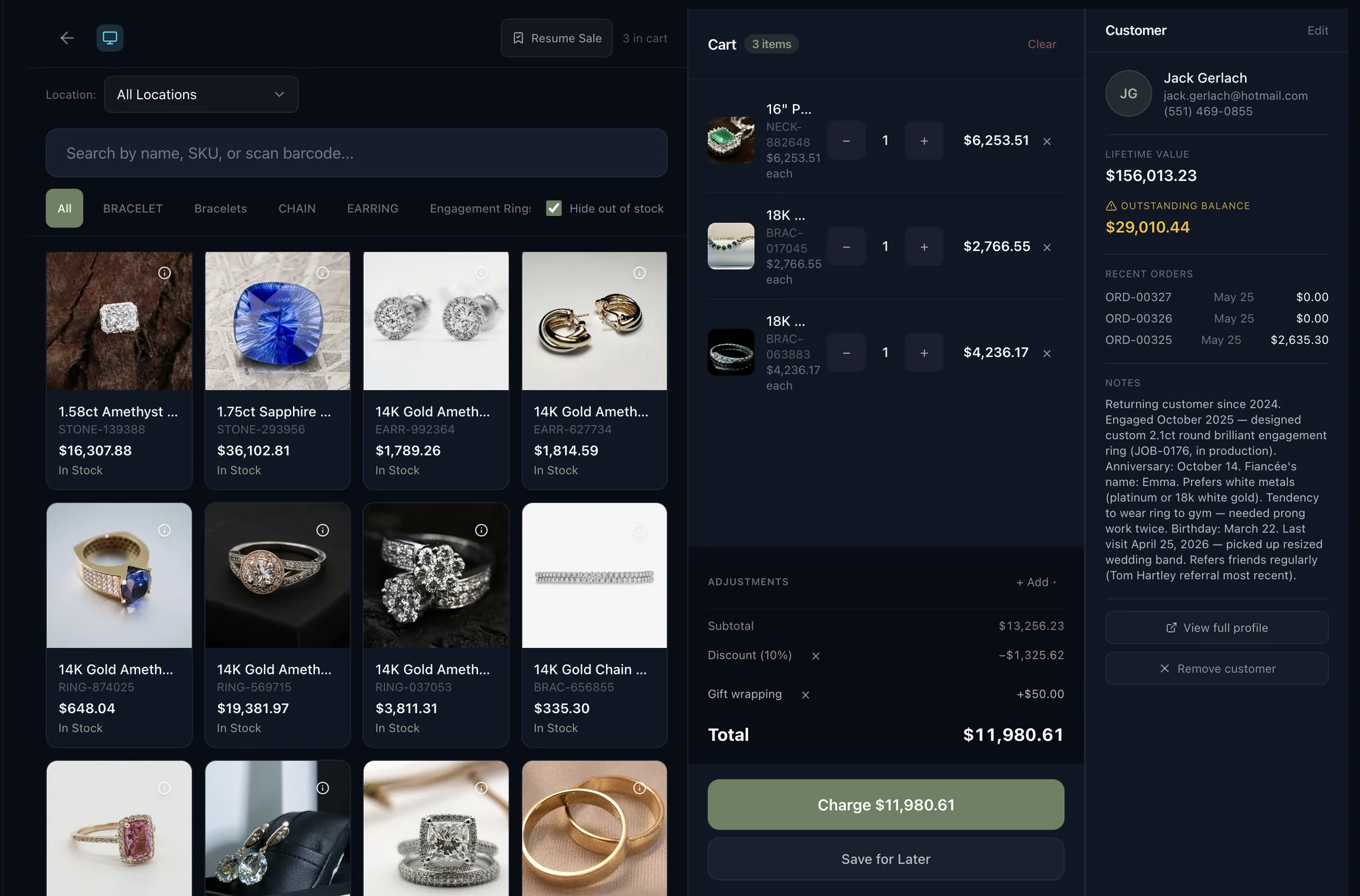
Jewelia POS is cloud jewelry POS software for jewelry stores. It takes card, contactless and chip payments through Stripe Terminal, appraises trade-ins on the same screen using the metal rates you set, applies customer credit automatically, parks and resumes sales across shifts, and pays commission at the moment of sale. Inventory, customers and commissions update in real time because the POS shares one database with the rest of Jewelia.
It takes the payment
Card, contactless and chip through Stripe Terminal, with commission calculated on the ticket as it is rung.
It values the trade-in
Appraise the piece on the same screen as the sale, priced on the gold, silver, platinum and palladium rates you set yourself.
It remembers the money
Trade-in overflow becomes tracked account credit. Layaway and deposits carry a running balance on the customer record.
It updates everything else
Inventory, customer history and commissions move the moment you charge — because the POS shares one database with the rest of Jewelia.
On the floor
Sell from beside the case, not from behind a monitor.
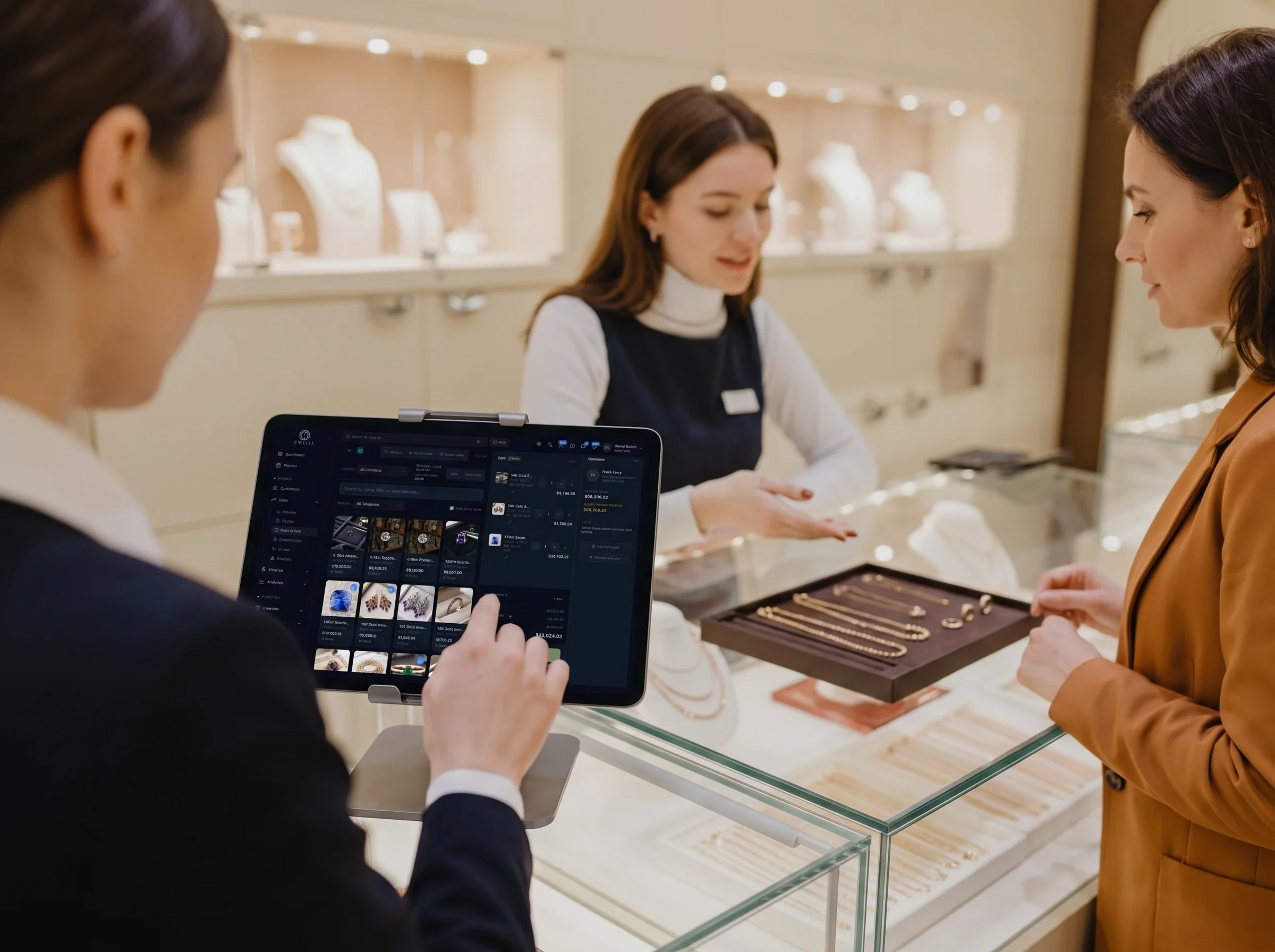
Because the whole system runs in a browser, the register goes wherever the customer is — at the tray, at the mirror, on the sofa by the window. Look something up, add it to the cart and take the payment without ever saying “let me just check out the back.”
- The register is a browser tab, not a workstation
- The customer sees what you see
- The sale is closed where the decision is made
Four sales that break an ordinary POS
Any register can take a payment. What separates a jewelry store POS is everything that happens on either side of it — and these are the four moments where a general retail system quietly turns into a spreadsheet.
A sale that is also a purchase
The customer is buying a ring and handing you an old one. A general POS can take the money; it cannot weigh the trade-in, price it on today's metal rate, and net it off the ticket without you opening a calculator and a spreadsheet.
A sale that takes four months
Layaway, a deposit on a custom piece, three part-payments and a balance. Most registers treat a transaction as a single moment. Jewelry money arrives in instalments, and the balance has to live on the customer, not on a sticky note.
A sale that starts as a repair
Someone walks in with a broken clasp and leaves having bought earrings. The repair intake, the customer record and the sale are one conversation at one counter — they should not be three systems.
A sale of something you don't own
The stone in the ring came in on memo from a supplier. When it sells, the supplier has to be billed and your own stock must not be double-counted. A general POS has no concept of goods it doesn't own.
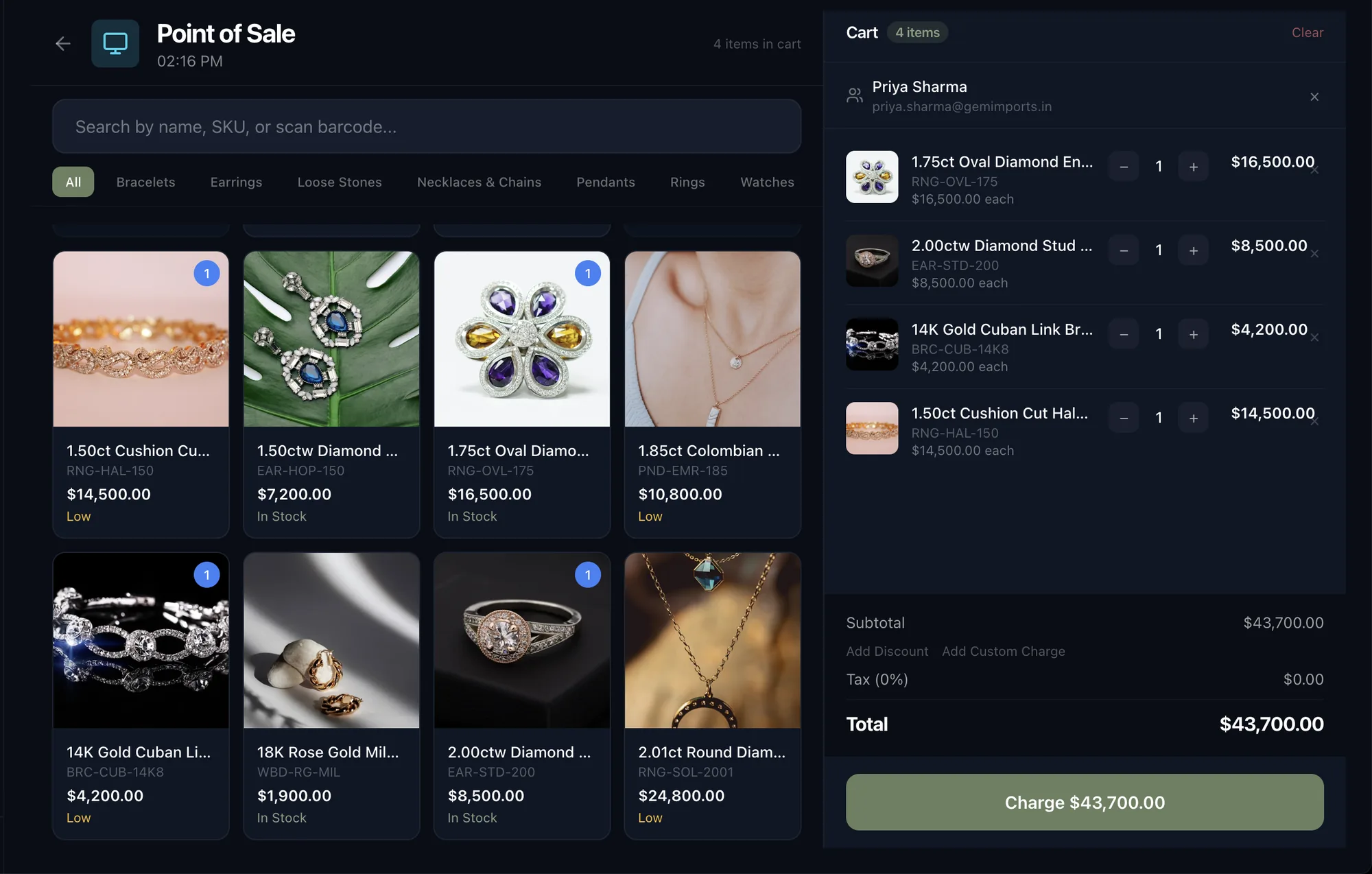
Everything a jewelry POS needs, on one screen
A jewelry point of sale purpose-built for the trade, not a generic register with a jewelry logo on it.
Stripe Terminal payments
Card, contactless and chip on Stripe's certified readers, with commission calculated automatically on every ticket.
Inline appraisals
Appraise the trade-in on the same screen as the sale. No second app, no paper, no re-keying.
Metal calculator
Set your gold, silver, platinum and palladium rates once; every trade-in and scrap valuation uses them.
Trade-in workflows
Capture the piece, set the value, apply the credit against the sale in front of the customer.
Customer credits
Trade-in overflow becomes tracked account credit, applied automatically to the next purchase.
Parked sales
Resume any sale after a shift change with the full cart intact — nobody rebuilds a basket.
Instant commission payout
POS sales pay commission immediately. No approval queue, no waiting for the end of day.
Layaway & deposits
Partial payments with the outstanding balance tracked on the customer record.
Barcode & tag printing
Scan to add to the cart, and print the tags that make the scanning work in the first place.
Charge the card. Everything else has already moved.
Most jewelers run a register that talks to their stock system through an integration, and spend the first hour of every morning finding out what didn’t come across. Jewelia’s POS is not connected to your inventory — it is your inventory, on the same database.
- Inventory The piece leaves stock as it leaves the case — no nightly sync, no overselling the one you just sold.
- Sales & CRM The sale lands on the customer's record with everything they have ever bought, sized or repaired.
- Memo & Ledger Sell a memo'd stone and the supplier balance moves with it, so you bill what you owe.
- Analytics Takings, margin, commission and staff performance update live rather than at close of day.
No server. No install. No Windows licence.
An iPad, or anything with a browser
The same iPad POS runs beside the case, on a Mac at the back counter and on a laptop from home. Nothing to install, nothing to keep patched, no app-store update to chase.
A Stripe Terminal reader
Stripe's certified readers handle chip, contactless and swipe. Commission is calculated on the ticket as it is taken.
A scanner and a tag printer
Print the tags from Jewelia, scan them to build the cart. Optional — you can search by name or SKU instead.
Pricing
Point of sale is included on Enterprise
No separate POS licence, no per-register fee. Point of sale comes with Enterprise, alongside Stripe Connect, the CRM, inventory, repairs and memo — you just add a Stripe Terminal reader.
Enterprise
$833/mo billed annually
or $999/mo month to month
- Point of sale & Stripe Terminal
- Trade-ins, layaway & commissions
- Everything in Professional + Stripe Connect, API & 10 seats
30-day money-back guarantee · cancel any month · no setup fees · Compare every plan
Jewelry POS: questions
What is a jewelry POS system?
A jewelry POS system is jewelry point of sale software built for the way jewelers actually sell: serialized one-of-a-kind pieces rather than SKU quantities, trade-ins valued on live metal rates, layaway and deposits that run for months, repair and custom-job intake at the same counter, and goods in the store that the store does not own. A general retail POS takes the card payment but usually handles none of those four.
How is a jewelry POS different from a general retail POS?
A general retail POS is built around quantity on hand and a single moment of payment. A jewelry POS has to handle four things it does not: serialized one-of-a-kind pieces rather than SKU counts, trade-ins valued live against your own metal rates and netted off the same ticket, money that arrives over months through layaway and deposits, and stock in the store that the store does not own — memo from a supplier, or a customer's ring in for repair. Everything else, including taking the card, is the same.
Does the POS handle memo and consignment goods?
Yes. Memo and consignment stock is tracked separately from stock you own, so selling a memo'd stone moves the supplier balance on the shared ledger and does not double-count your own inventory. That is usually the sharpest difference between Jewelia and a general retail POS, which has no concept of goods it does not own.
Which card readers does Jewelia POS support?
Jewelia POS uses Stripe Terminal, so it works with Stripe's certified readers — for example the BBPOS WisePOS E and the Stripe Reader S700 — for chip, contactless and swipe payments in the US.
Does Jewelia POS run on an iPad?
Yes. Jewelia is a cloud application that runs in a browser, so the same iPad POS works on the showroom floor, on a Mac or PC at the back counter, and on a laptop from home. There is nothing to download from an app store, no Windows server, no SQL licence and no on-site install — which is the main practical difference between a cloud jewelry POS and the on-premise systems still common in the trade. If your business needs the data on your own infrastructure, a self-hosted on-premise deployment is available on Enterprise and above by arrangement.
Does it handle trade-ins and scrap gold?
Yes. Trade-ins are appraised inline using the metal rates you set yourself, and any overflow value becomes customer credit that applies automatically to the next purchase rather than going out as cash.
Can I take a deposit and let a customer pay the rest later?
Yes. Layaway and deposits take partial payments with the outstanding balance tracked on the customer record, so anyone serving that customer next can see what is owed without asking around.
What happens to a sale when a shift ends mid-transaction?
Park it. A parked sale keeps the full cart and can be resumed by whoever picks it up on the next shift, so a customer who walks away to think about it does not cost you the basket.
Which plan includes POS?
Point of Sale is included on the Enterprise plan at $999/month ($833/month billed annually), alongside everything in Professional, Stripe Connect and 10 seats. There is no separate POS licence and no per-register fee — you only need a Stripe Terminal card reader.
Do I need to sync the POS with my inventory?
No, and that is the point. Jewelia's POS is not a separate application connected by an integration — it reads and writes the same database as inventory, CRM, memo and production, so a sale at the register is already reflected everywhere else the moment it is charged.
See the POS on real data.
30-day money-back guarantee. Cancel any month, no setup fees.